


-
Changing the draw order of objects according to layers
Call options
- ModPlus floating menu or palette
- Menu, toolbar, or ribbon in nanoCAD
- Command line: _mncDrawOrderByLayer
Icon


Using
Plugin processes the layers checked in the window, changing the drawing order according to the order of the checked layers. There is an "Auto" mode, which automatically changes the order of drawing of objects on one of the two specified layers when creating or editing
Reorder by layer
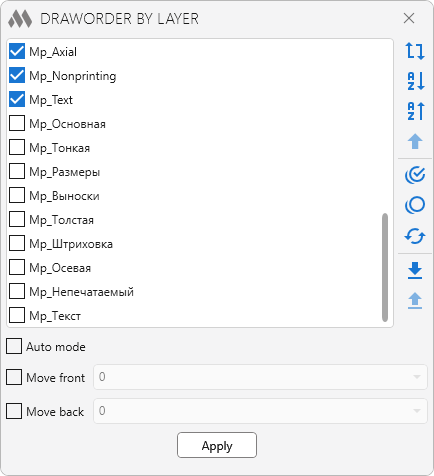
Specify in the list of layers those layers that need to be processed. Arrange them in the order you want and click Apply. The following items are provided for managing the list: – reverse the entire list
 – sorting in ascending order
 – sorting in descending order
 – move the selected layer to the beginning of the list
 – select all layers
 – unselect all layers
 – inversion of selection
 – save the current position of layers in the drawing
 – load and apply the layer position saved in the current drawing. Layers that were added after saving the position will be moved to the end of the list
Auto mode – automatic positioning of entities on a layer
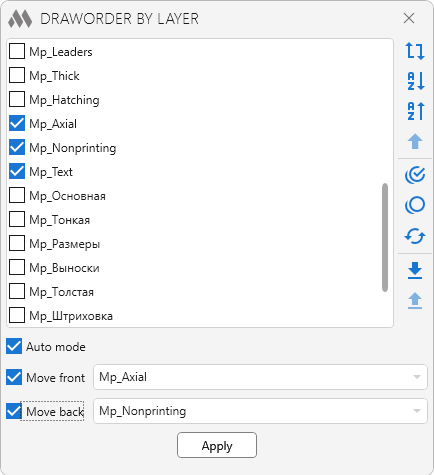
This feature allows you to track entities on specified layers and move them either in front of entities or back of entitiesApply – apply changes and close plugin window
-