Call options
- ModPlus floating menu or palette
- Menu, toolbar, or ribbon in nanoCAD
- Command line: _mncMultiCopy
Icon
Using
Plugin supports two types of copying:
- markup – copies primitives with a specified distance between them along the specified line
- divide – copies primitives by dividing the specified line by the number of segments entered.
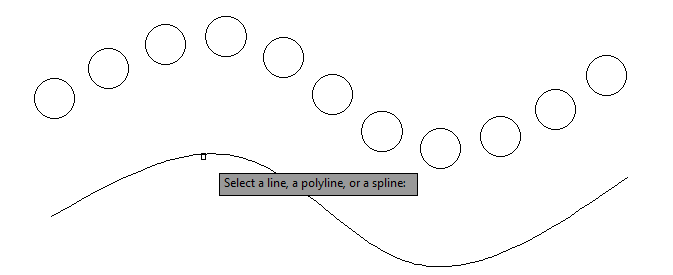
There is a possibility to select an entity (line, polyline, spline) to set the copy path.
Select entities: – selecting entities.
Mark:
Specify distance or [Divide]: – entering the distance value from the keyboard or by specifying two points.
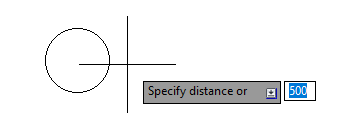
Specify a base point or [Entity]: – specify a point.
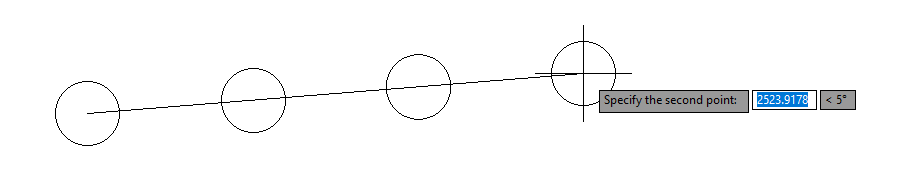
Specify the second point: – specify a point.

Divide:
Enter the number of segments or [Mark]: – entering the number of segments from the keyboard. The number must be positive and nonzero.
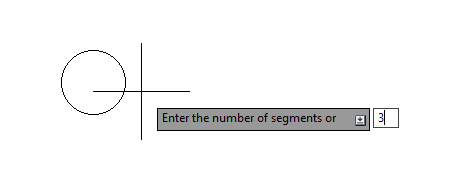
Specify a base point or [Entity]: – specify a point.
Specify the second point: – specify a point.
Entity:
Select a line, polyline or spline: – selecting an entity to plot the copy path. Repeat only the trajectory, i.e. copied objects are not transferred to the selected entity!