


-
Inserting drawing formats according to GOST 2.301-68/ISO 216
Call options
- ModPlus floating menu or palette
- Menu, toolbar, or ribbon in nanoCAD
- Command line: _mncFormats
Icon


Using
Formats are inserted in the form of a block with a special label in the extended data. A label in the extended data is required to define the formats with other plugins (for example, Sheet Numbering). Therefore, you should not insert the formats with standard means of inserting a block into nanoCAD. Plugin allows you to add title blocks to the format – for this you need to install and at least once started the plugin Title blocks.
GOST 2.301-68
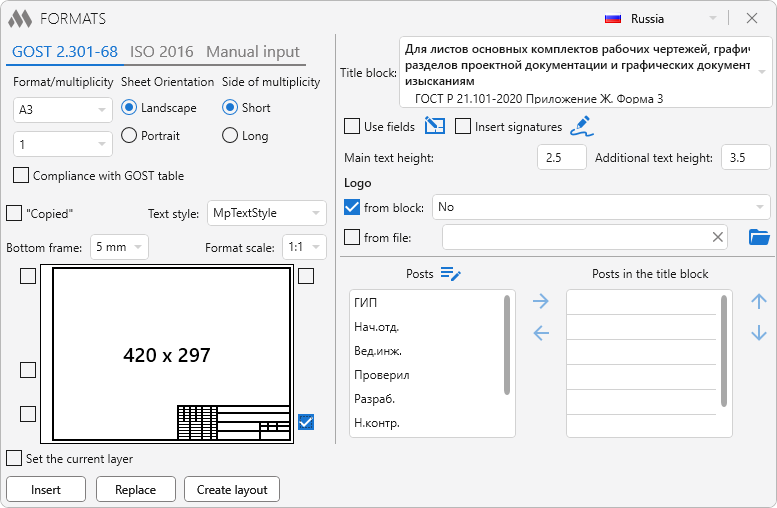
Format/multiplicity – drop-down lists for selecting the format and multiplicity by GOST.
Sheet orientation – format orientation – portrait or landscape.
Side of multiplicity – specifies the side by which the format will be increased if the multiplicity is greater than one.
Compliance with GOST table – the sizes of formats at multiplicity more than 1 are taken by multiplication of the parties of a format with multiplicity 1 on size of multiplicity that corresponds to limiting deviations in table 3 (paragraph 6). When you check the box, the sizes of the formats will be taken in full accordance with table 2 (paragraph 5). For example, the format A4x5 without the check mark will be 297x1050, and with the check – 297x1051.
ISO 216
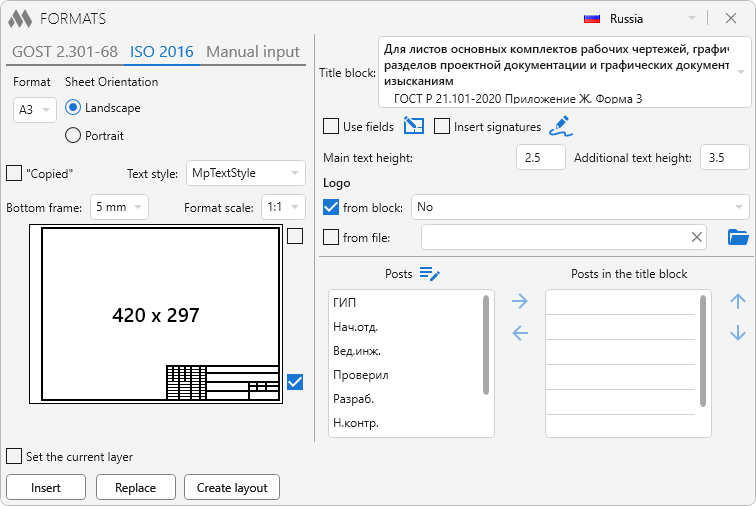
Format – drop-down list for selecting the format.
Sheet orientation – format orientation – portrait or landscape.
Manual input
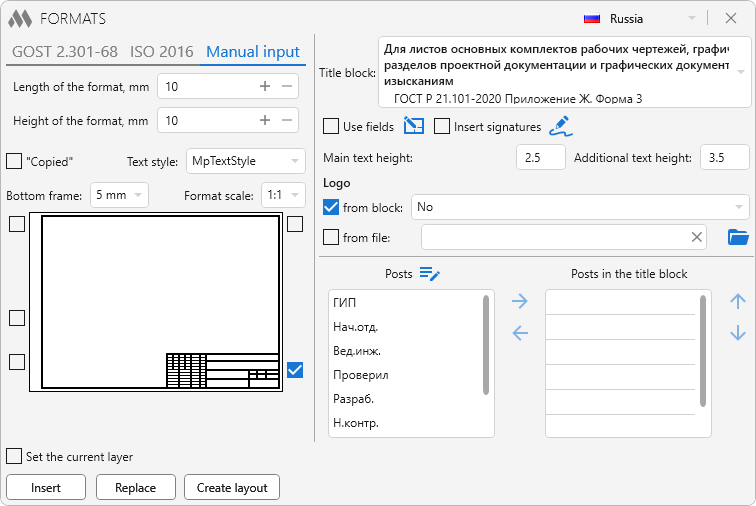
Lenght of the format, mm – field for entering the length of the format in millimeters.
Width of the format, mm – a field for entering the width of the format in millimeters.
General properties
"Copied" – adds to the label the inscription "Copied".
Text style – setting a text style that will be used for text in the format and stamp.
Bottom frame: 5mm or 10mm – choose the bottom frame for A3 and A4 formats.
Format scale: – scaling formats when inserting. Read more in article.
Number in volume – selection of the numbering option in the volume number field: Do not number, Number automatically, Enter value.
Content of the format
On the graphical representation of the format you can specify additionally added data - side inscriptions, a field for the page number in the volume and a stamp.
When the "Stamp" check box is selected, the controls for setting the stamp are displayed in the right part of the window. Settings are similar to the plugin Stamps. Additionally, the following options are available:Copy layout name to the selected cell – switch to nanoCAD to select the cell where the sheet name will be inserted:
Specify point inside table: – specify a point inside the cell.Number in title block – selection of the numbering option in the title block: Do not number, Number automatically, Enter value.
Buttons
Insert – go to nanoCAD to select the insertion point:
Insertion point: – specifying the insertion point.Replace – go to nanoCAD to select the format and replace it with the current one:
Choose a replacement format: – selecting the block. The block must be a format created by this function previously.Create layout – create a new layout with an insert in it.
-