


Corporate Licensing
The ModPlus corporate subscription is a licensing method that provides a company with access to ModPlus plugins for a specified number of users over a fixed period. The subscription operates together with a license server that manages seat allocation and access to the plugins.
The subscription comes in four types: for all paid plugins for Revit, for all paid plugins for AutoCAD, for all paid plugins for Renga, and for all paid plugins regardless of the product.
The corporate subscription does not limit the number of users, but rather the number of simultaneous connections to paid plugins. For example, if you have 10 seats, ModPlus plugins may be installed on 50 employees’ machines, and all of them can use free tools. However, only 10 users can simultaneously use paid plugins.
ModPlus supports two types of license servers:
- ModPlus cloud service
- does not require software installation on the client side
- supports distributed teams and remote work.

The Web Server is created automatically when a corporate subscription is active and is managed through the ModPlus admin panel from any device with an Internet connection. It is the preferred option due to easy administration and flexible configuration.
Main features:
- user access to the license server from anywhere with Internet access;
- manual creation and management of the user list;
- connection filtering using white and black lists;
- automatic authorization by domain name;
- assignment of seats to specific users;
- usage statistics collection, including the option to add project names to reports.
- runs inside the company’s local network
- does not require Internet connectivity
- suitable for isolated environments and strict security policies.
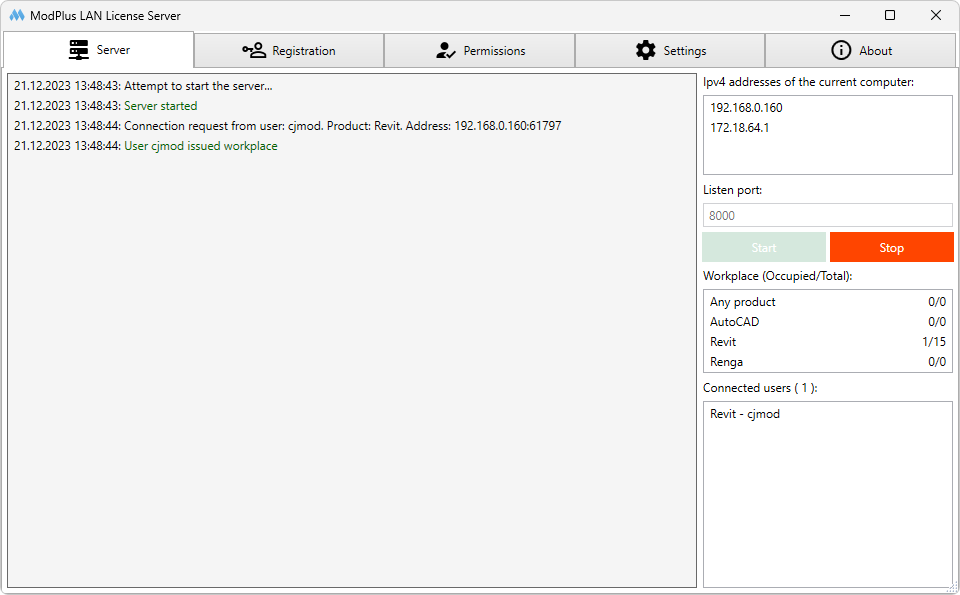
The LAN License Server is installed within the local network and configured by the administrator using the dedicated application. It is recommended when Internet access is limited or unavailable.
Main features and limitations:
- access to the license server is possible only within the local network;
- connection filtering is available (white and black lists);
- no ability to assign seats to specific users;
- no usage statistics collection.
After selecting the license server type, a corporate subscription is purchased. Changing the server type after purchase is not supported.
The process for obtaining a license is the same regardless of server type:
- The user must have the ModPlus installed.
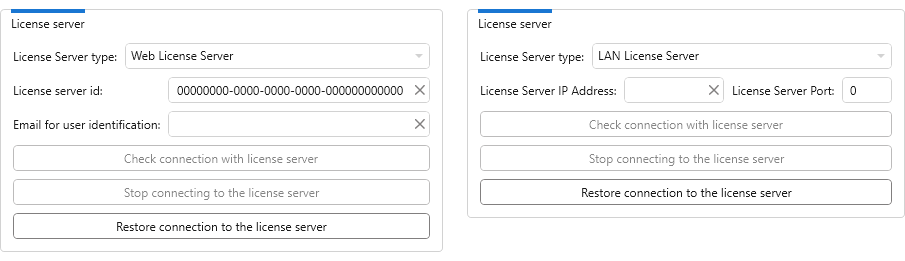
- In the ModPlus settings for the supported product (Revit/AutoCAD/Renga), the user selects the license server type (LAN or Web).
- The user enters the required data (for Web Server: license server ID and email for identification; for LAN Server: IP address and port). Connection settings (except user email) may be preconfigured through the Organization settings.
- A seat is occupied when the user starts a plugin requiring a license. The server verifies license availability and permissions and assigns the seat.
- The seat is released automatically when the supported product is closed or if no paid plugins are used for 4 hours.
To start using the corporate subscription, the company only needs to:
- Determine the type of license server.
- Purchase the corporate subscription for the required number of seats.
- Configure the license server according to the selected option.
- Add users and grant them access.
- Install ModPlus plugins for users and configure access.