


New plugin for AutoCAD. Assemble multileader
We present to you a new plugin for AutoCAD – Assemble multileader!
If the leaders in a drawing are drawn with lines, polylines and separate text, the plugin will assemble full-fledged multileaders out of them. It understands leaders made of several segments and several leaders for one text, it can take the text height and the arrowhead size from the source objects and immediately delete what has been included in the multileader.
The work of the plugin is demonstrated in the video:

 YouTube
Write your ideas and wishes to us in the support chat – together we make ModPlus better!
Enjoy your work with ModPlus!
Revit. Numbering 7.0. Numbering along route, composite number by mask and other new features
We present to you a big update of the Numbering plugin, version 7.0!
The new version brings you the numbering of elements along the route of pipes and ducts, a composite number by a mask, numbering by schedule groups, additional sorting, numbering through the renaming of types and families and much more. And the plugin window no longer blocks the Revit window!
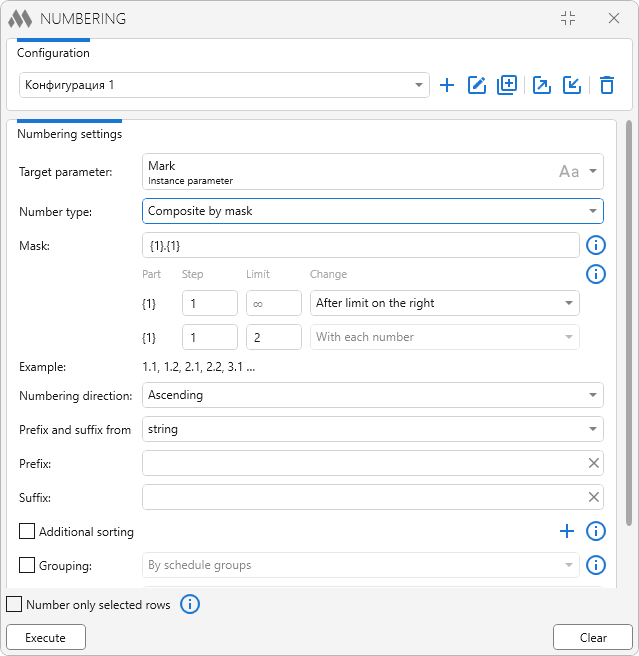
We will tell you about all of this below
New plugin for AutoCAD. Set height
We present to you a new free plugin for AutoCAD – Set height!
The plugin moves the selected objects to a specified elevation along the Z axis. You can place all the objects at the same height or give them consecutive elevations with the step you need along a specified line. There is no longer any need to move the objects one by one and recalculate the elevations manually — everything is done in a couple of clicks!
The work of the plugin is demonstrated in the video:
 YouTube
Enjoy your work with ModPlus!
Revit. Room finishing. New interface, flexible finishing settings and parameter filling
We present to you an update of the Room finishing plugin — version 4.0!
In this version we have reworked the interface for setting up finishing walls, extended the possibilities of placing the finishing and added new tools for working with parameters. Here is a closer look at what has changed.
We have updated the interface for setting up finishing walls, making the work with layers and with the parts of the finishing by height more illustrative. It has also become possible to set the height of the finishing directly — from its bottom boundary. This is convenient, for example, when the cladding has to have the same height in rooms with different top elevations.
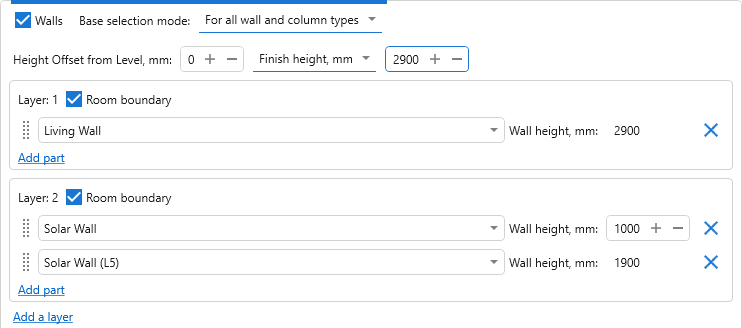
The blocks of finishing creation settings can now be given names and collapsed. For example, you can name the blocks by the purpose of the rooms or by the finishing variant, in order to find the settings you need in a large configuration faster.
In addition, the order of the floor and ceiling types can now be changed by dragging.
Revit. Parametrization. New strategies, new functions, element grouping, pre-filters, a palette for quick launching and much more
Today we have released the biggest update both in the history of Parametrization and, perhaps, in the history of any ModPlus plugin!
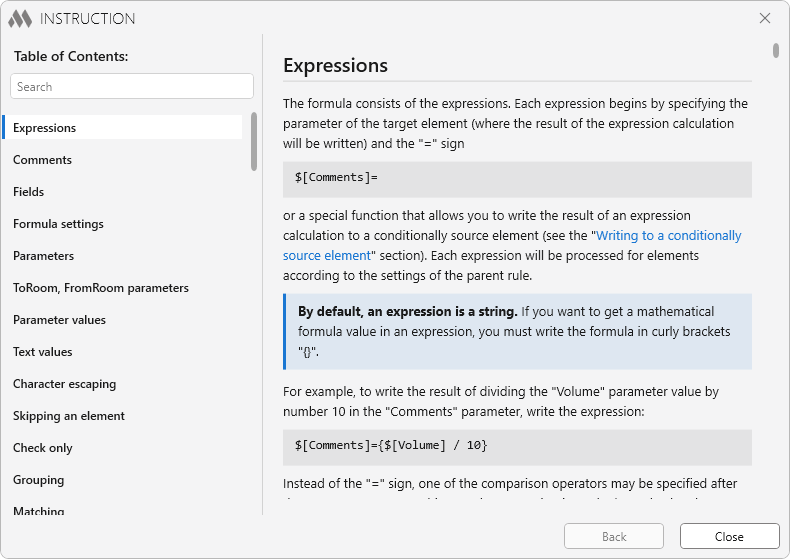
The new version of Parametrization brings you new functions, new strategies, element grouping, the unique ManyToMany strategy, pre-filters, a palette for quick launching, a redesigned instruction, new features of the formula editor and much more. We will tell you about all of this below, and we strongly recommend that you read this article