


AutoCAD. Smart. Weld designation, Weld Leg and Hole filling
Introducing an update of Smart plugin with new smart objects!
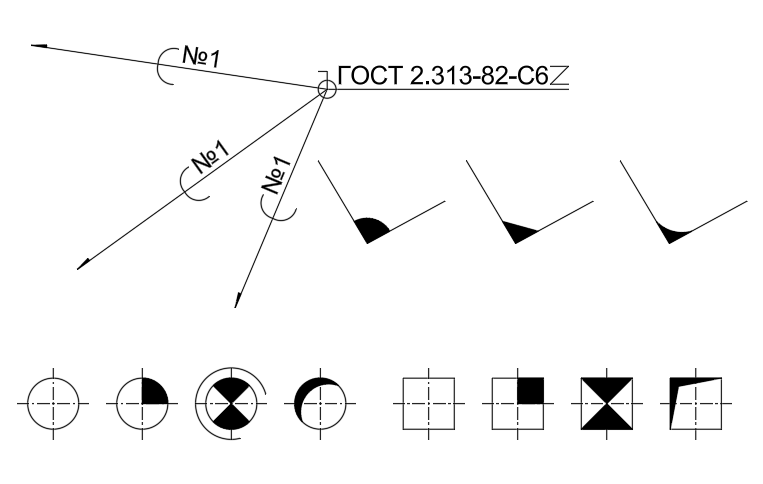
Weld designation
A smart object that allows you to show a Weld designation in a drawing:
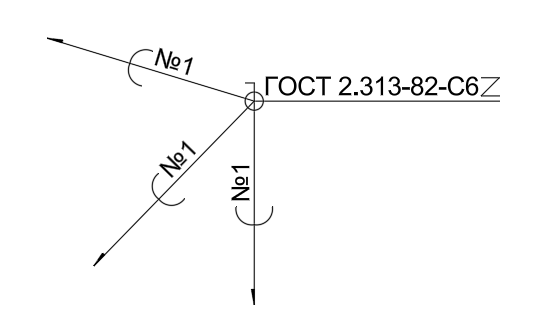
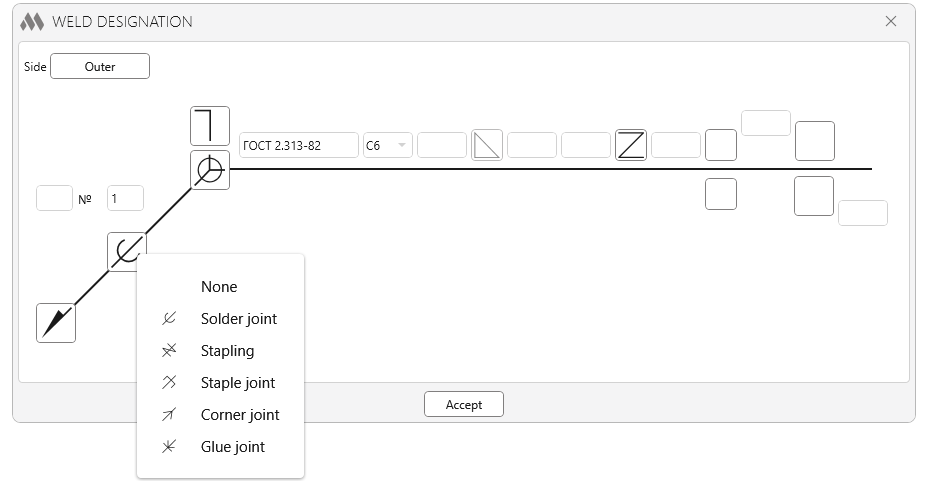
To edit the properties of the leader, you can use both the properties palette, where all the editable properties are available, and the visual editor, which can be called by double-clicking on the object.:
Weld Leg
A small intellectual object that creates a Weld Leg designation:

An object can be created either by specifying two edges or by specifying three points.
Hole filling
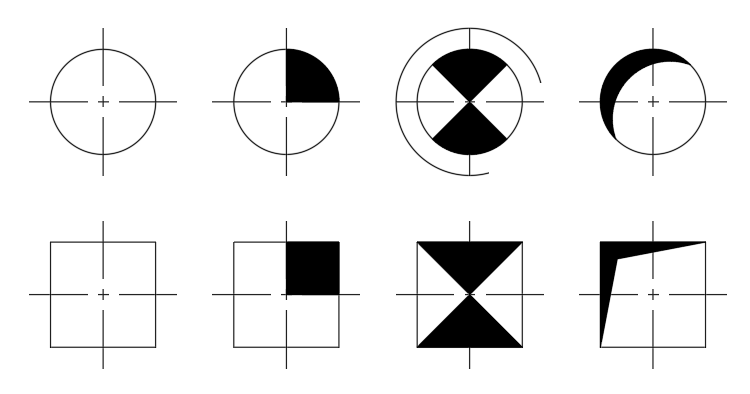
An intellectual property that allows you to create a hole fill designation. It has a rich set of properties that allows you to create a large number of designation variants:
 Other
Today's update also has several bug fixes and improvements:
- Search: only object types present in the current drawing are now displayed in the list of smart objects.
- Dip mark: added ability to override text.
- Letter Line: fixed a bug where text was incorrectly displayed after mirroring.
- All smart objects have an item added to the context menu that allows you to open the properties palette.
Suggest your ideas for new smart objects in our support chat!
Enjoy your work with ModPlus!
Revit. Multiple rows tabs, new built-in commands, synchronization notification, wall and family filtering
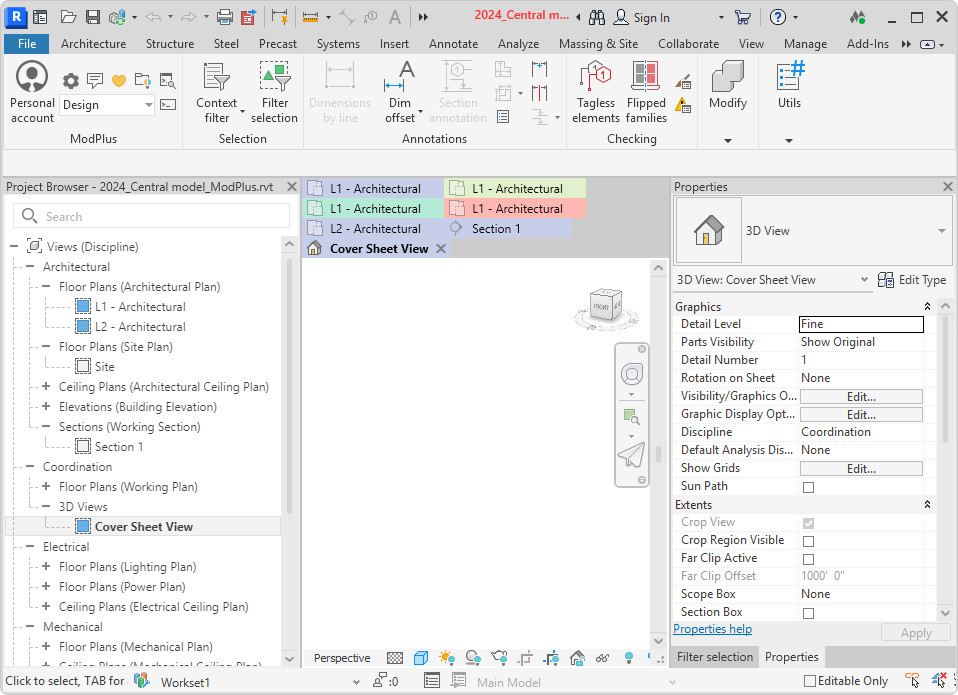
Today we have an update to the working libraries for Revit, in which we have added many new features:
- Multiple rows tabs,
- Notification when synchronization is required,
- Management of built-in commands,
- New built-in commands,
- New filtering options for walls and families.
Read on for more details.
New plugin for Revit. Room finishing
Meet the new plugin for Revit - Room finishing!
The new plugin combines several room finish generation capabilities - floor creation, ceiling creation, and wall creation - and has a number of unique features:
- creating floors with different options for doorway establishments,
- creation of multi-layered and composite wall finishes,
- taking into account the mutual location of the created floors and walls,
- copying of parameter values from rooms to finishing elements,
- creation of finishes by linked files
and much more!
The plugin supports corporate configurations set by Organization Settings!
Watch the demo video, try the plugin and let us know your impressions!

 YouTube
Enjoy your work with ModPlus!
Revit. Parameters. Splitting
We present to your attention the plugin Parameters version 2.0!
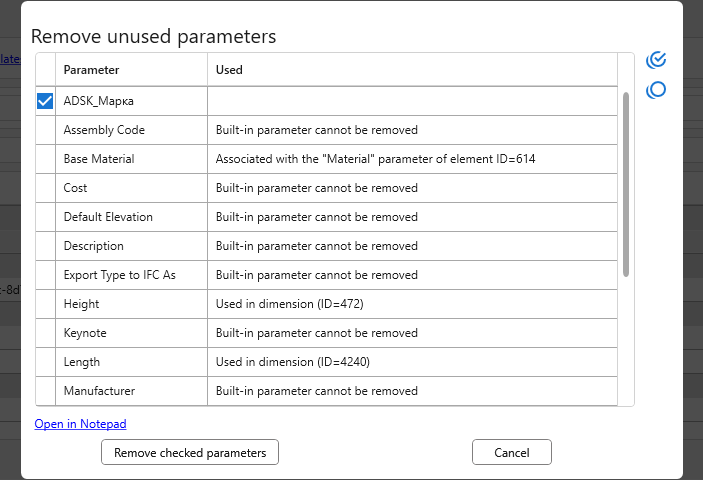
There are over 40 (!) changes in today's major update! And to get you curious, here's a screenshot of one of the new features:
Read more about all the new features and changes below.