


Removal of the Configurator
Initially, during the development of ModPlus, the following idea was adopted: ModPlus is modular and allows users to customize the menu. There were even ideas that third-party developers would be able to create plugins for our platform. At the same time, for a long period we did not have an installer. Therefore, for installation and configuration, the Configurator was created — you simply downloaded an archive, unpacked it, launched the Configurator, and configured everything as needed.
The idea of plugins from third-party developers turned out to be unsuccessful, and manual installation followed by configuration was quite complicated for many users. Therefore, we gradually moved toward simplifying user interaction. As a result, an installer was created, which installs and configures everything automatically, as well as the auto-update module, which installs updates on its own. Eventually, new users were not even aware of the existence of the Configurator. The Configurator became a relic, but it still retained useful features — plugin and menu management. Therefore, today we released a major update of the auto-update module, in which it is now possible to do everything that was previously available in the Configurator:
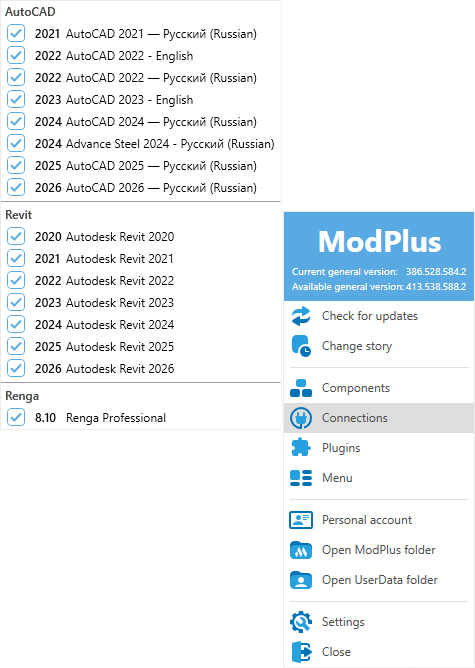
Manage connections to applications (added earlier)
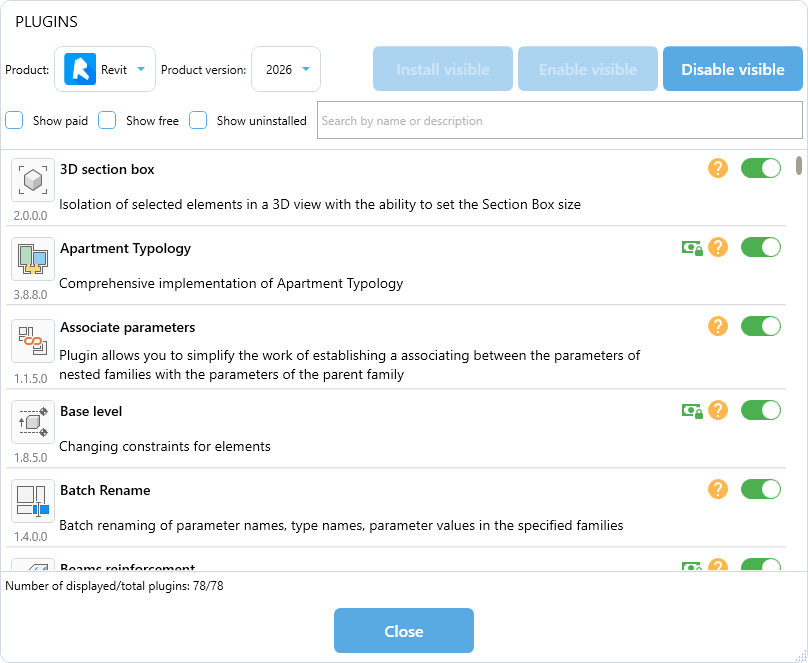
Manage plugins
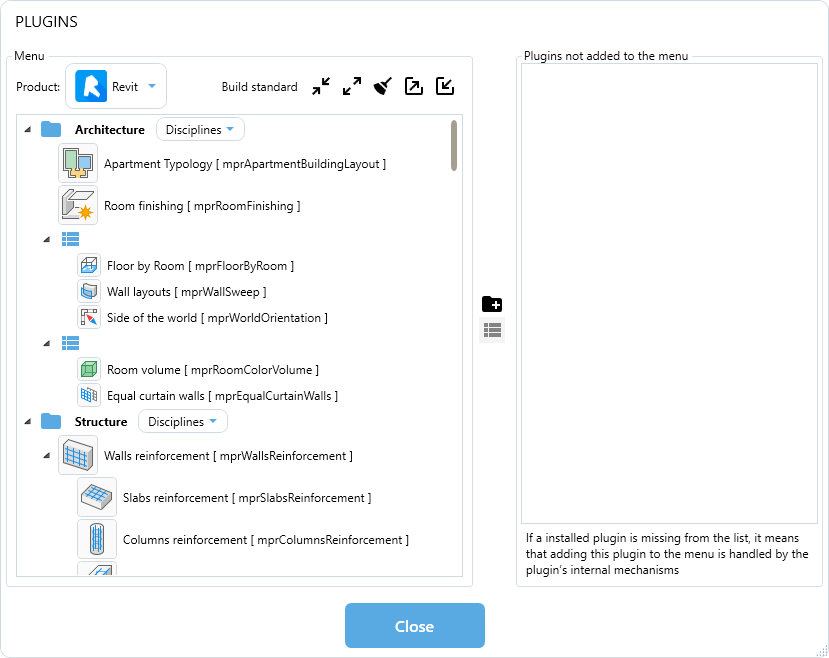
Manage the menu
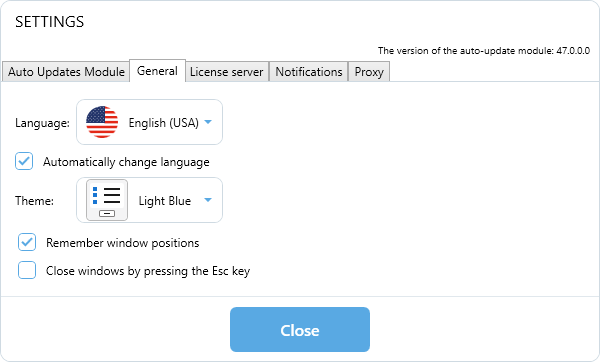
As well as redesigned and expanded settings
Now the auto-update module, which is always at hand, has turned into the ModPlus control center. We even wanted to rename it, but this is technically very difficult, so it has remained the auto-update module.
We hope that using ModPlus will now become even easier and more convenient!