


-
Search for equal curtain walls in the Revit model
Icon


Related news and articles
Usage
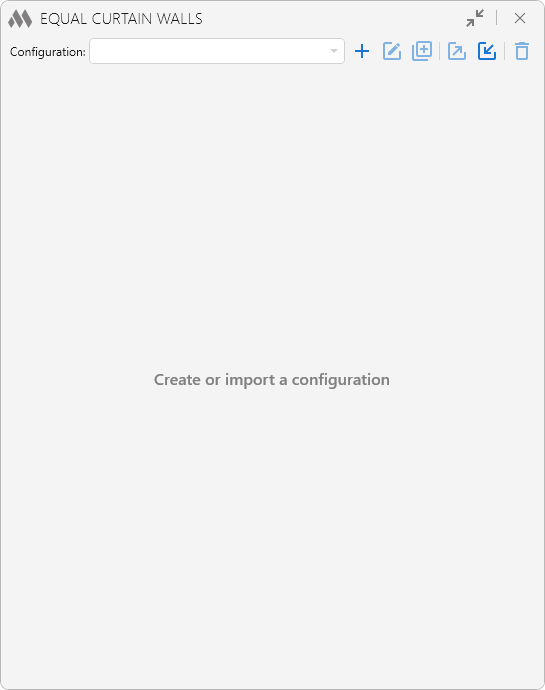
To start working with the plugin, you need to create a configuration by clicking
 . Created configurations can be duplicated
  , renamed
  , exported
  , imported
  , and deleted
  using the corresponding buttons.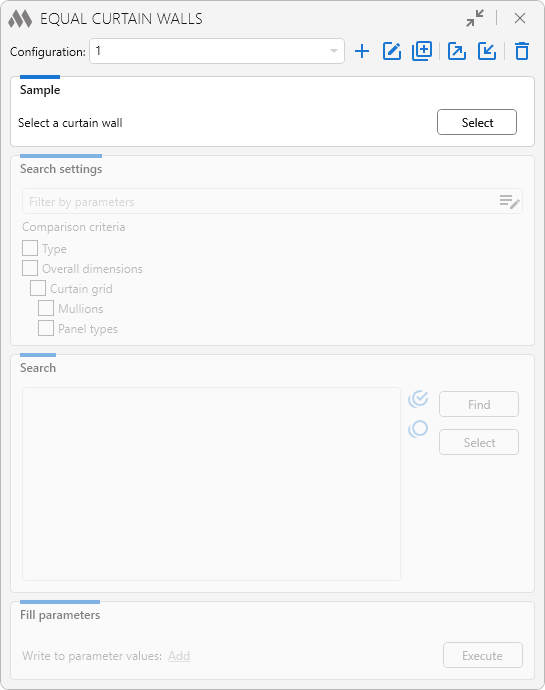
In the Sample section, select the curtain wall that will be used as a reference for comparison with other curtain walls in the current project. After clicking the Select button, specify the sample curtain wall in the model. Once the sample is selected, the remaining plugin sections become available.
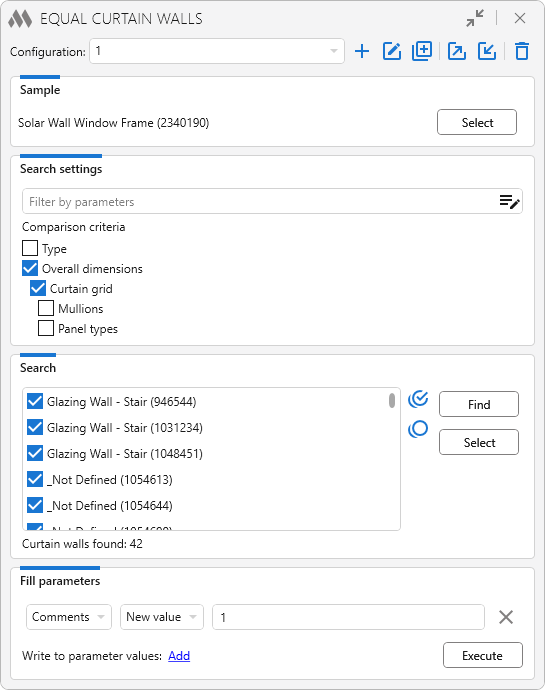
Search settings allow you to filter curtain walls by parameters and define the criteria according to which the found curtain walls will be compared with the sample. If no filter is specified and no criteria are selected, all curtain walls on the view or in the model will be found.
Find – performs a search for curtain walls according to the search settings On active view or In model.
All found curtain walls in the list can be selected
 or deselected
  , and the ID of each element can be copied
  .
.Select – selects the curtain walls marked in the list in the model.
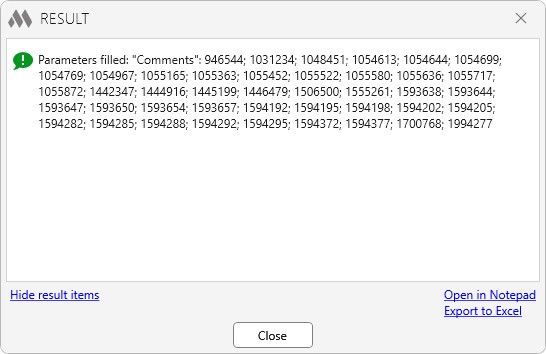
In the Fill parameters section, you can Add additional fields to specify the name of the curtain wall string parameter, the type of value to be written (New value or Value from sample), and the parameter value. After clicking the Run button, parameter values are filled in and the results window appears:
-
-
Change history forYear
2026 Year
Revit: Equal curtain walls 1.0.5.0 (06.03.2026)
ImprovedWindow background change when collapsing window content.Revit: Equal curtain walls 1.0.4.0 (10.02.2026)
FixFix some bugs.Revit: Equal curtain walls 1.0.3.0 (09.02.2026)
FixFix some bugs.Revit: Equal curtain walls 1.0.2.0 (06.02.2026)
FixFixed an error that occurred when two GridLines were located on the same line in a curtain wall.Revit: Equal curtain walls 1.0.1.0 (15.01.2026)
ImprovedService update.Revit: Equal curtain walls 1.0.0.0 (12.01.2026) Read more
ReleaseRelease. -